Step One:
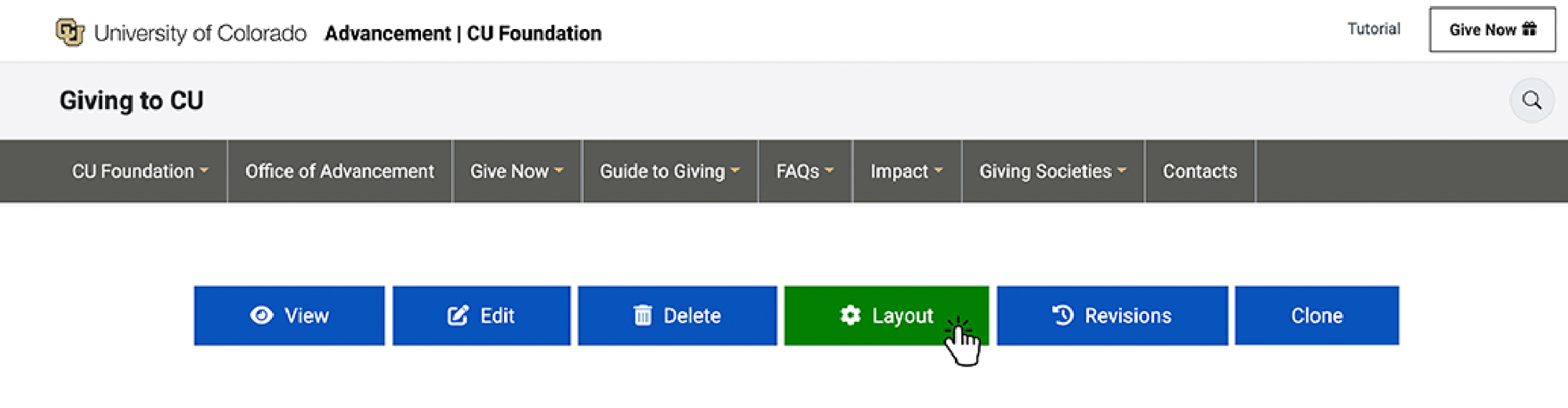
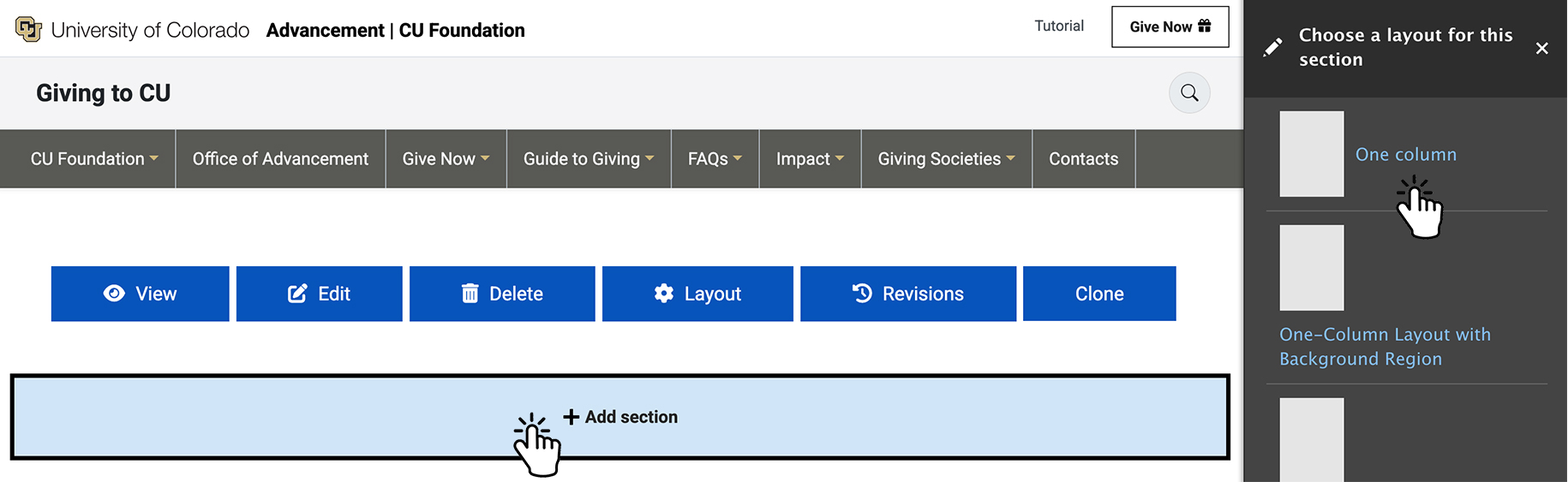
- Select Layout
- Select Add Section
- Select the number of columns:
You can choose between 1–4 columns. - Select page width. Then choose a class:
Page Width (container) — contained within the page
Full Width (container-fluid) — spans the full width of the page
Apply the appropriate class based on your layout needs.
Step Two:
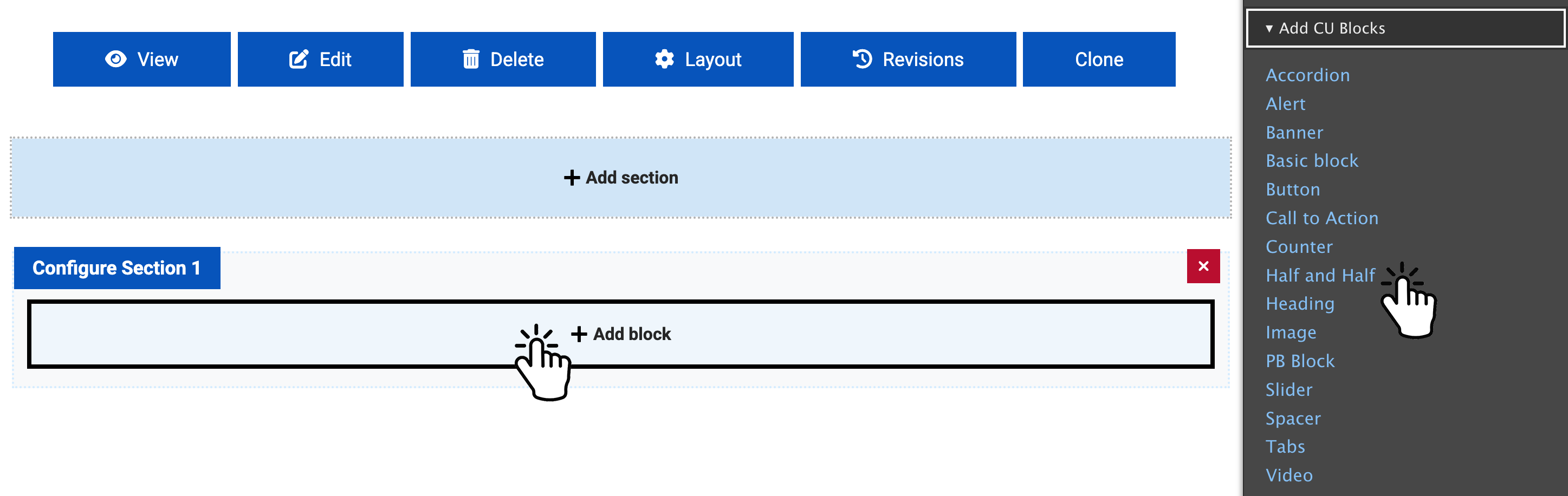
- Select "Add Block"
- Under "Add CU Blocks", choose "Call to Action".
Step Three:
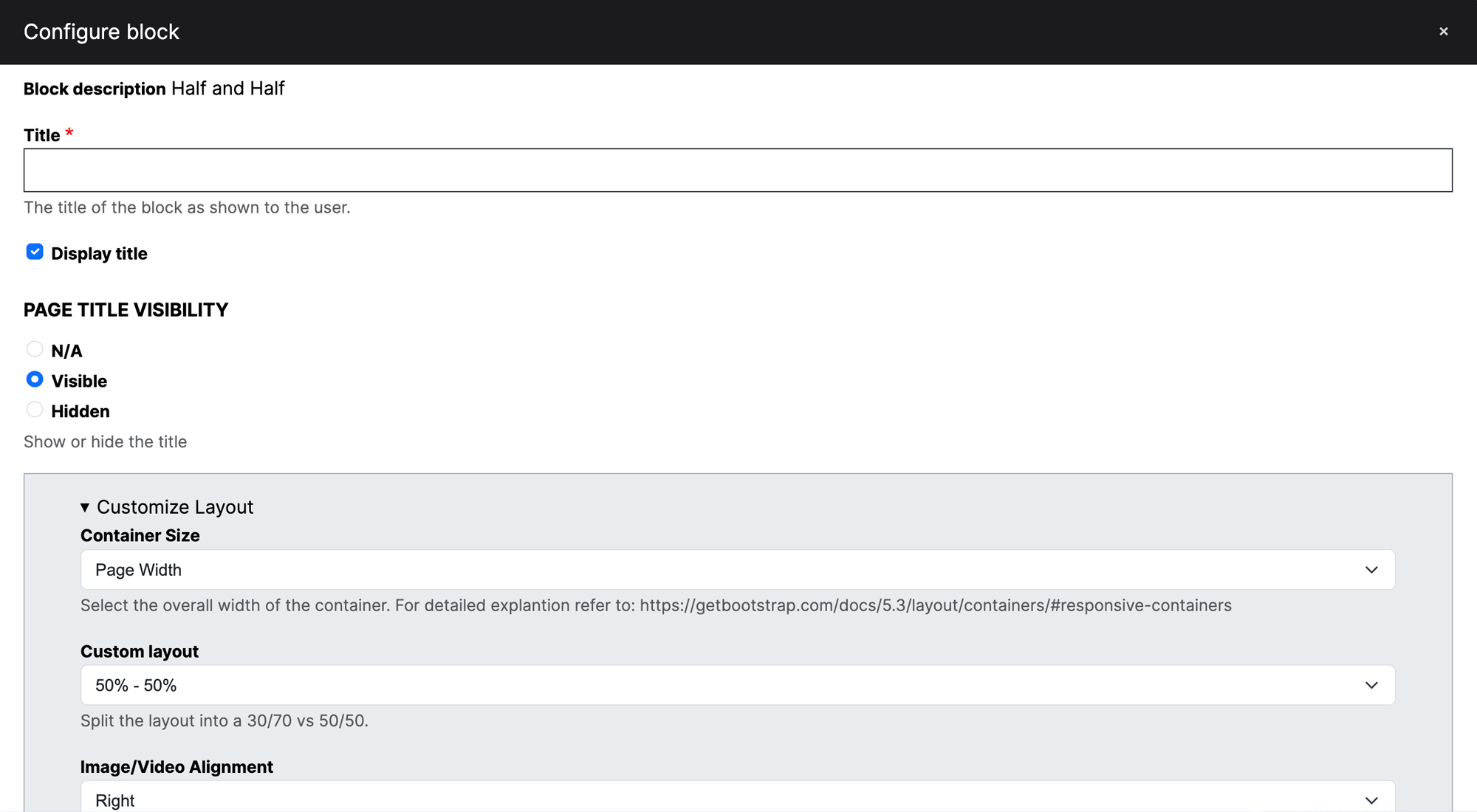
- Fill out the form as needed to meet your requirements.
- Add the block when finished.
- Click "Save" at the bottom of the page.
Example:

Half and Half
Lorem ipsum dolor sit amet, consectetur adipiscing elit. Duis suscipit consectetur neque, vitae maximus turpis tempus a.
Half and Half
Lorem ipsum dolor sit amet, consectetur adipiscing elit. Duis suscipit consectetur neque, vitae maximus turpis tempus a.